
Not enough Fusion templates for DaVinci Resolve? LmBox Bridge Fusion Lab: import on demand, share with the community
Step-by-step guide
For the full screen reference, category examples, publishing rules and release notes, see Fusion Lab (Lab guide). This post is the illustrated companion to the public class. For managing local folders, see Fusion Presets. The screenshots show the Chinese interface.
Hi, I am KernelKun. Ready-made Fusion templates for DaVinci Resolve are hard to find, and stuffing whole .drfx bundles into the install folder makes the list heavy and the app sticky. The LmBox Bridge desktop Lab "Fusion Lab" is a sharing community: browse by category and import only what you use. Titles and generators go to the timeline playhead; effects and transitions go into the library first and you drag them — that is a limit of the host, which has no "import straight to the timeline" interface for them, not laziness. This write-up is based on the September 2026 public class. If a step differs, the main guide wins.
Video tutorial
Public class demo: Fusion Lab (import on demand and the sharing community). Open on Bilibili
What you will learn
- What Fusion Lab is, and how it differs from Fusion Presets
- Titles / generators vs effects / transitions: two import paths
- Publishing: get from the timeline, paste from the clipboard, or "Upload to workshop" on the Presets page
- Cover, a preview of about 5 seconds, caps and upload checks
- Why we cannot claim it replaces every
.drfx1:1
What is Fusion Lab
Fusion Lab is the DaVinci Resolve Fusion sharing community inside LmBox Bridge: browse works by category (text, transitions, generators, effects and more) on the Discover page, download / import only what you use, and publish your own templates, priced in caps or shared for free. In one line: less piled into the install folder, more growing a library together.
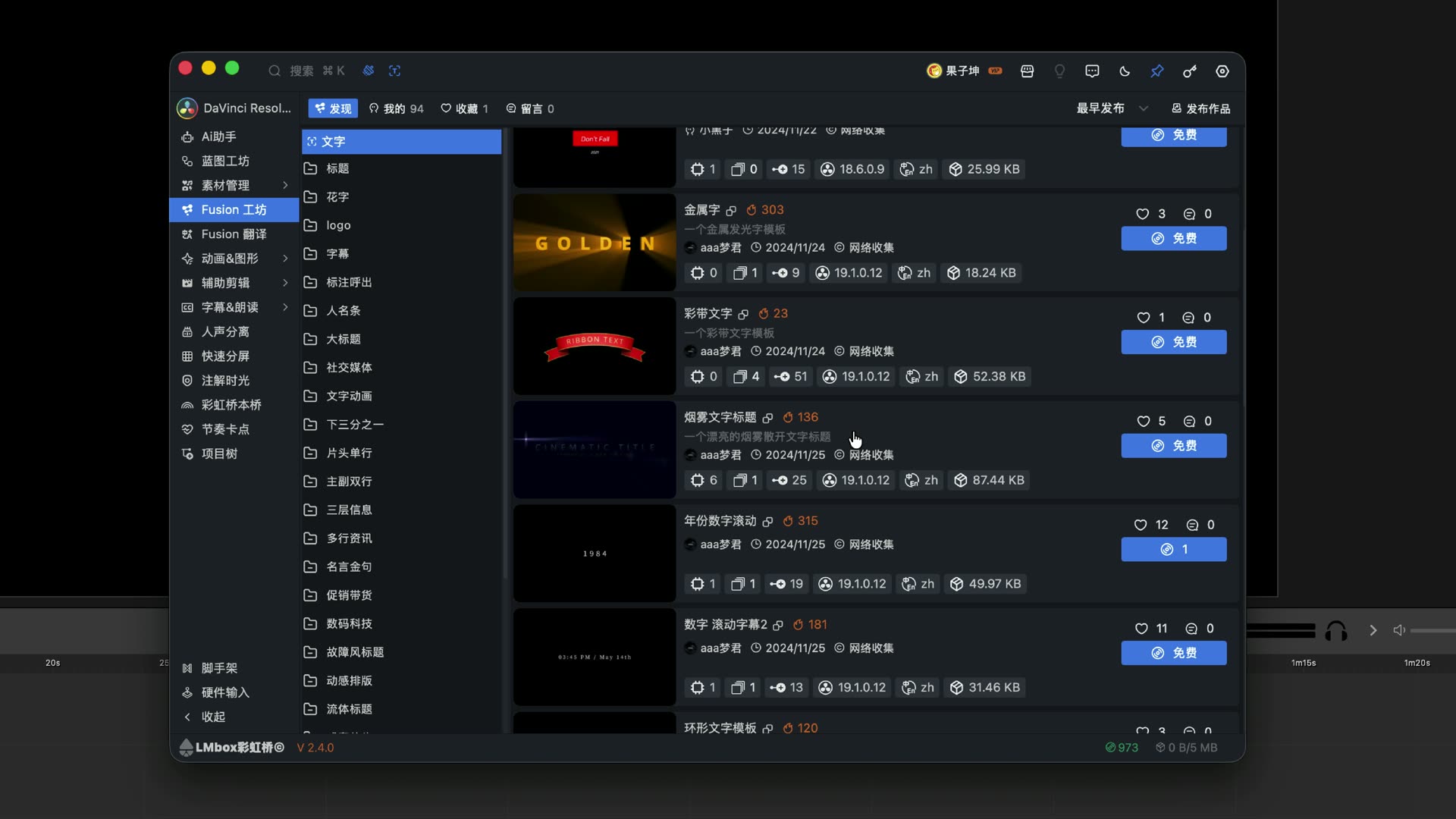
Figure: Open Fusion Lab from the desktop sidebar. With enough templates, it is time to introduce the sharing community.
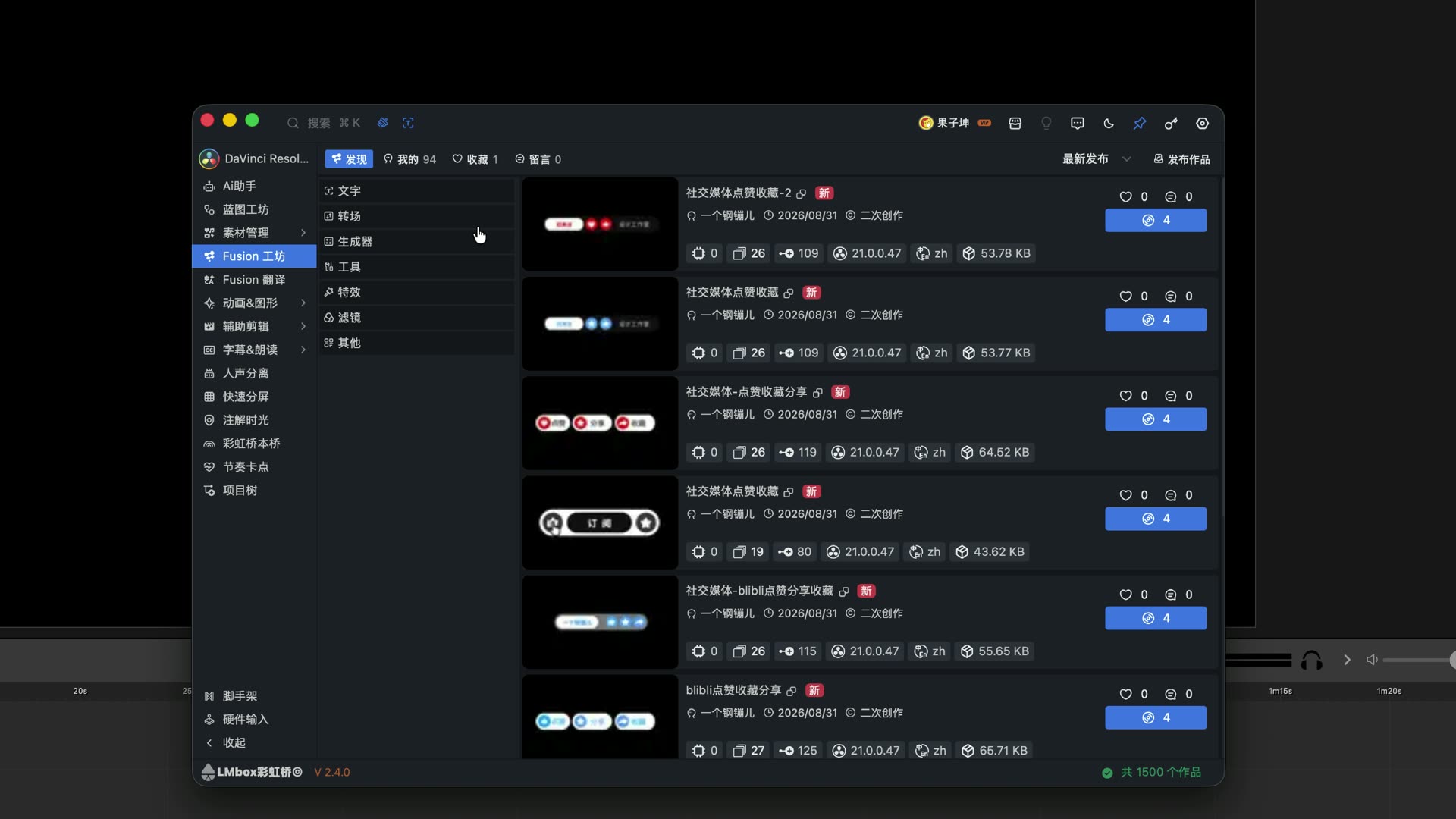
Figure: Fusion Lab has entries for text, transitions, generators, tools, effects and more.
How is Fusion Lab different from Fusion Presets
| Fusion Lab | Fusion Presets | |
|---|---|---|
| Focus | Community discovery, sharing, import on demand | Browse, translate and import local folders |
| Typical source | Online works, public class resources | Local .setting files / official packs / downloaded files |
| Upload | Publish work with the full form | Right-click Upload to workshop to open the publish page |
| Settlement | Caps (or free) | Mostly manages the local library |
Both serve DaVinci Resolve Fusion. To browse the community use Fusion Lab; to manage your own folders use Fusion Presets.
Which formats are supported
Fusion Lab is built around the Fusion node / .setting ecosystem. You can also see entries for OGraf and Lottie templates (all three template directions are in discussion). OpenFX open-source effects are a later compatibility direction; the video says that once supported, such resources will mostly be listed for free. Complex node effects and deep compositing still belong to Fusion, and this does not replace learning full compositing.
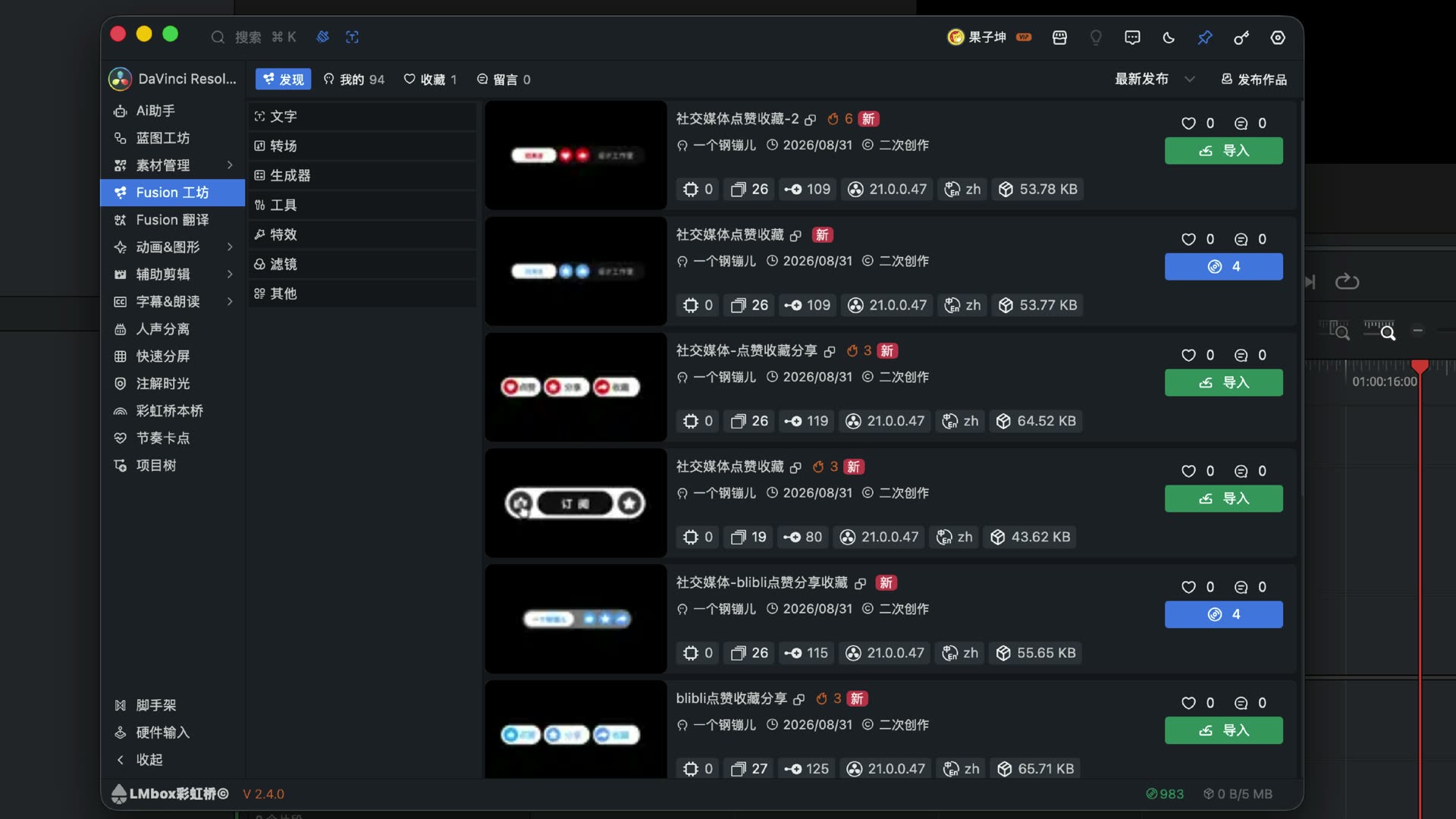
Figure: Tell the type apart before importing — titles/generators and effects/transitions take different paths.
How to import: titles and generators to the timeline
- Open a DaVinci Resolve project and connect the LmBox Bridge extension
- On Discover, pick a Text or Generator work
- Click Import → the work lands at the timeline playhead
- Templates with text can be switched to a common system font for your platform (follow the current software option)
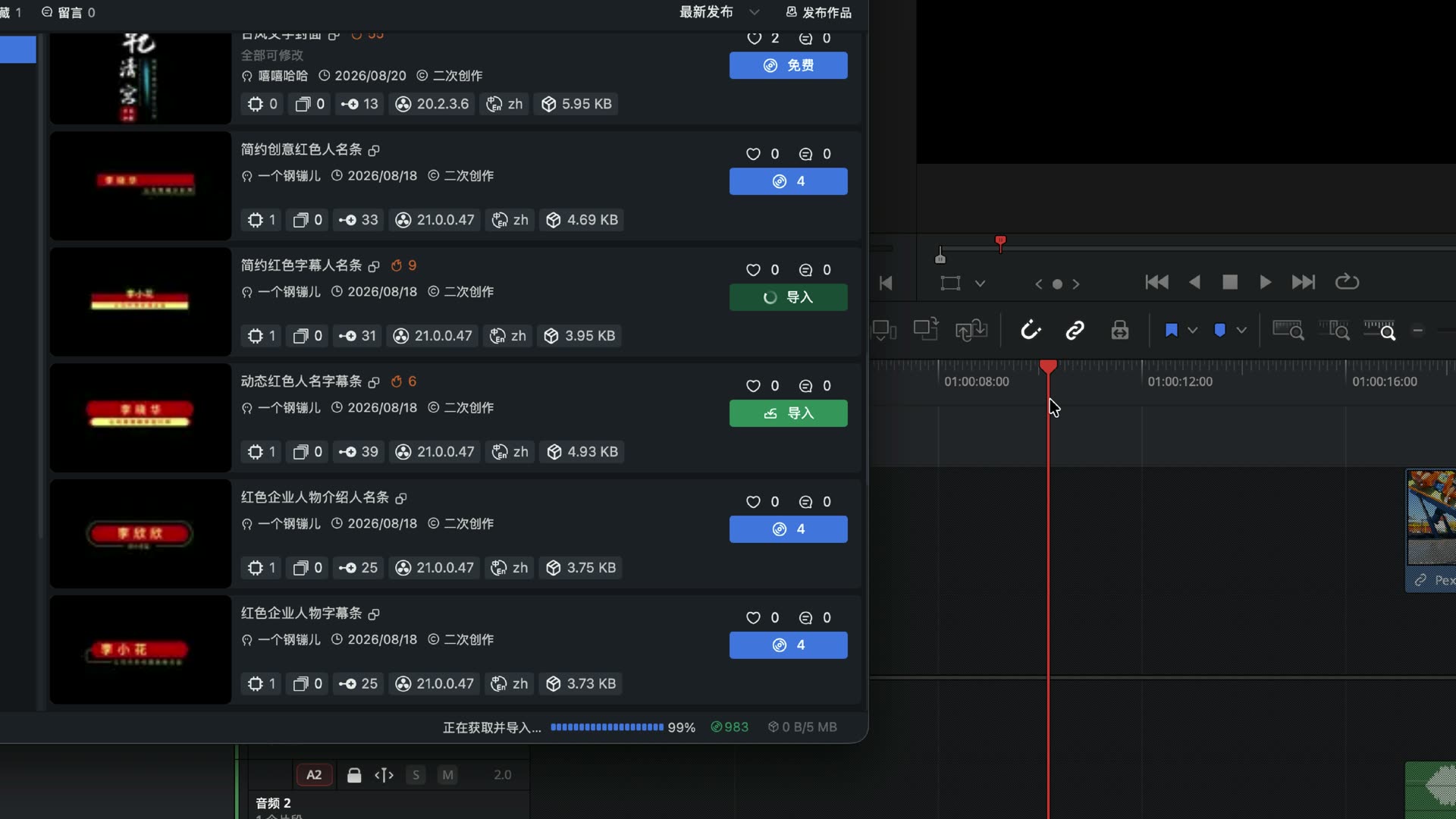
Figure: After you click Import on a text work, the title lands at the playhead.
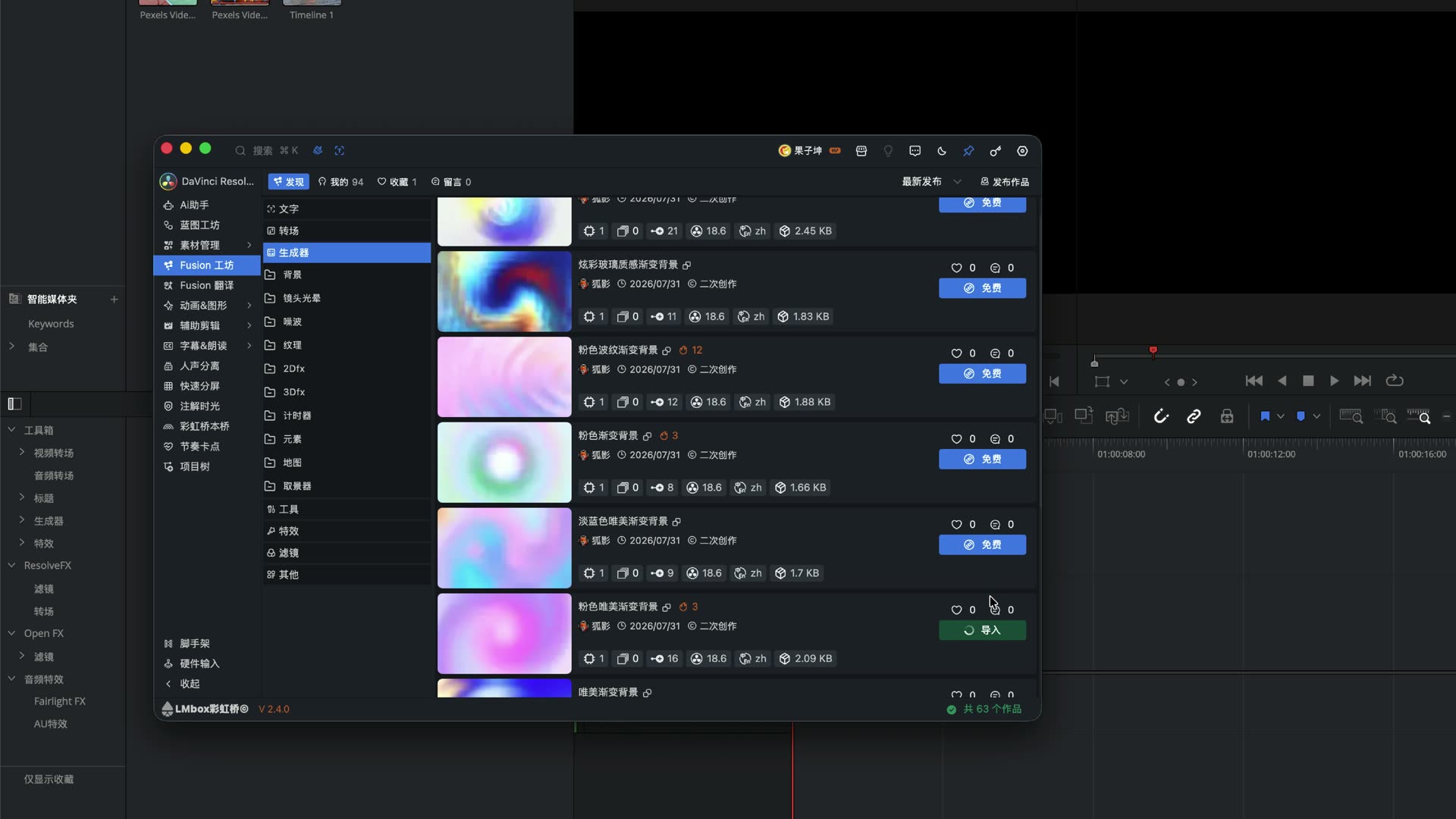
Figure: Generators (such as backgrounds) can also be added straight to the playhead.
Why effects and transitions go into the library first
Effects and transitions cannot go straight onto the timeline in one click yet. The host offers no interface to import effects / transitions directly to the timeline, so Fusion Lab first adds the work to the effects library / transitions library. Then you find the "LmBox Bridge" group in the effects panel next to the inspector (or in the transitions panel) and drag it onto a clip.
Note
Do not expect an effect to land on the timeline with one click like a title. A successful import only means it is in the library. The full step is to reopen the effects panel and drag it.
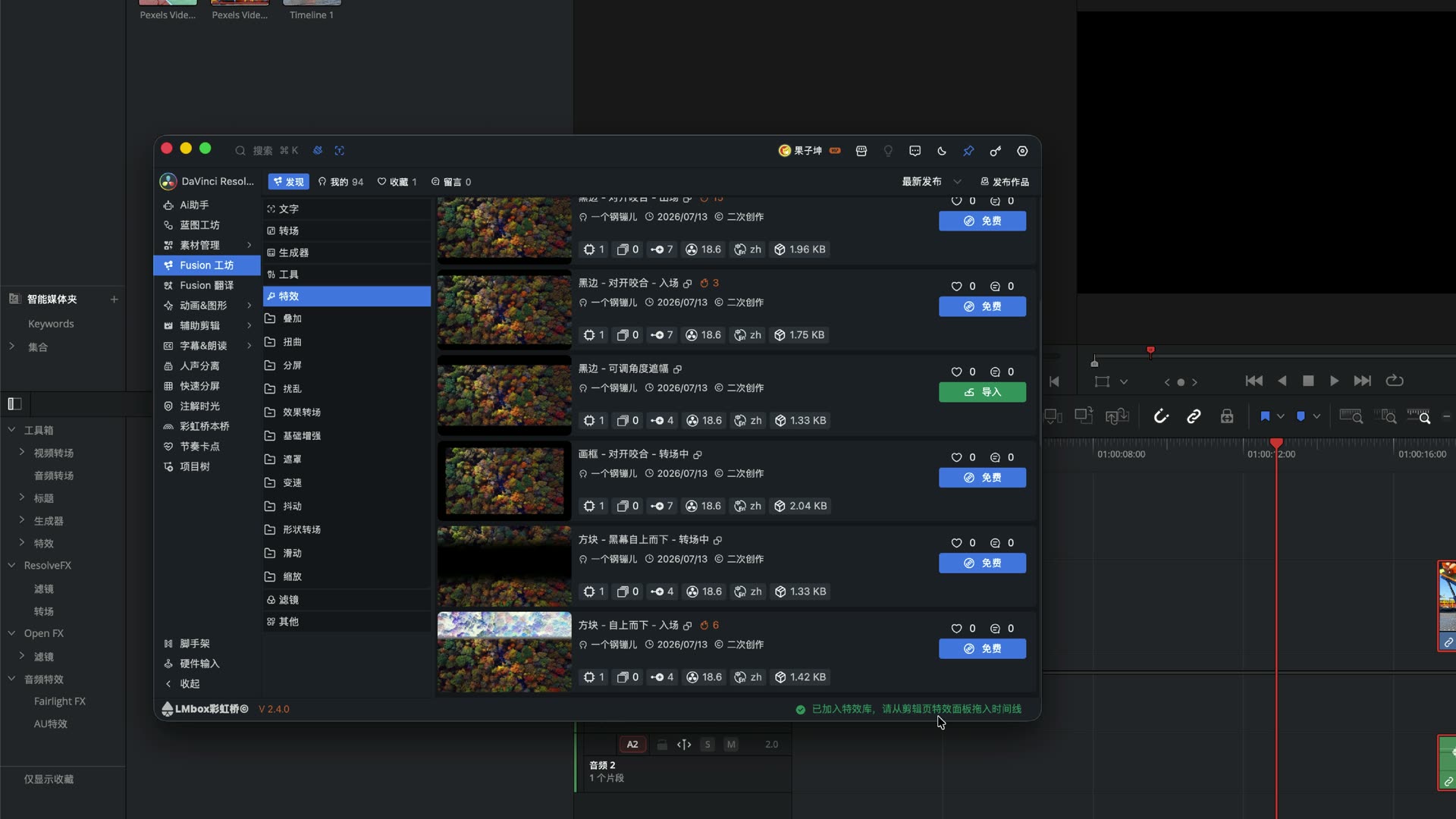
Figure: After you click Import on an effect, a hint says it was added to the library, and you find it in the effects panel.
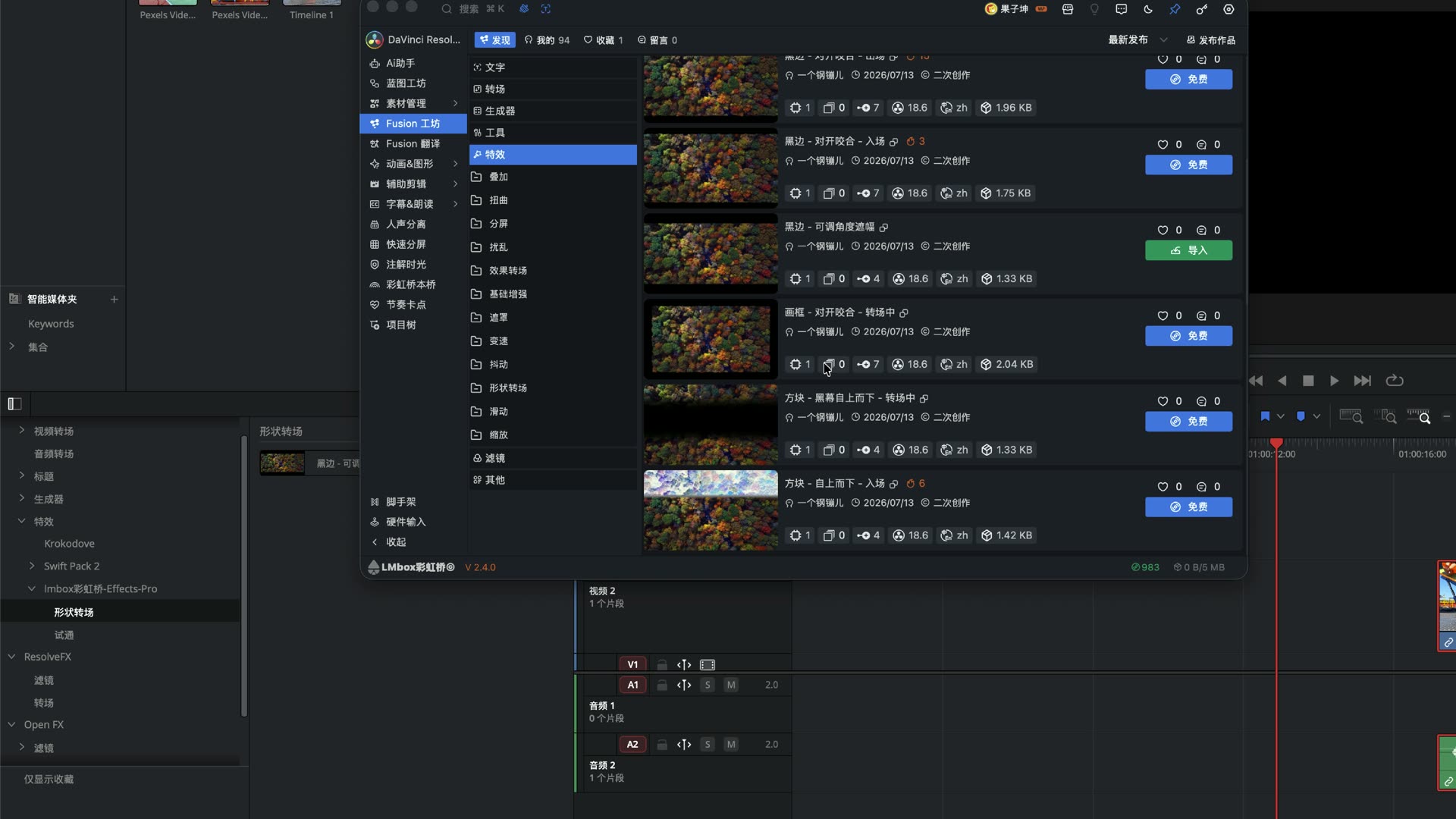
Figure: Find the item you just imported in the effects list and drag it onto a timeline clip.
Transitions work the same way: add them from the transitions panel, rather than forcing them in like a title clip.
How to publish: two ways to list a work
The original goal was to let people put their spare titles / effects, or creators' new work, into a sharing community.
Way 1: "Publish work" inside Fusion Lab
- Prepare your Fusion title or effect on the timeline
- Open Publish work → Get from timeline to take the Fusion comp
- For effects you can also select the nodes on the Fusion page, copy, and paste them back on the publish page
- Render a cover (a still at the playhead) and, if you like, a preview video (up to about 5 seconds)
- Fill in title, description, category, language and statement (original / derivative / collected from the web and so on)
- Permissions: Only me (private), Public (priced in caps; enter 0 for free) or Members only (the video says it is not yet open to all authors)
- Tick the community rules, submit and wait for review
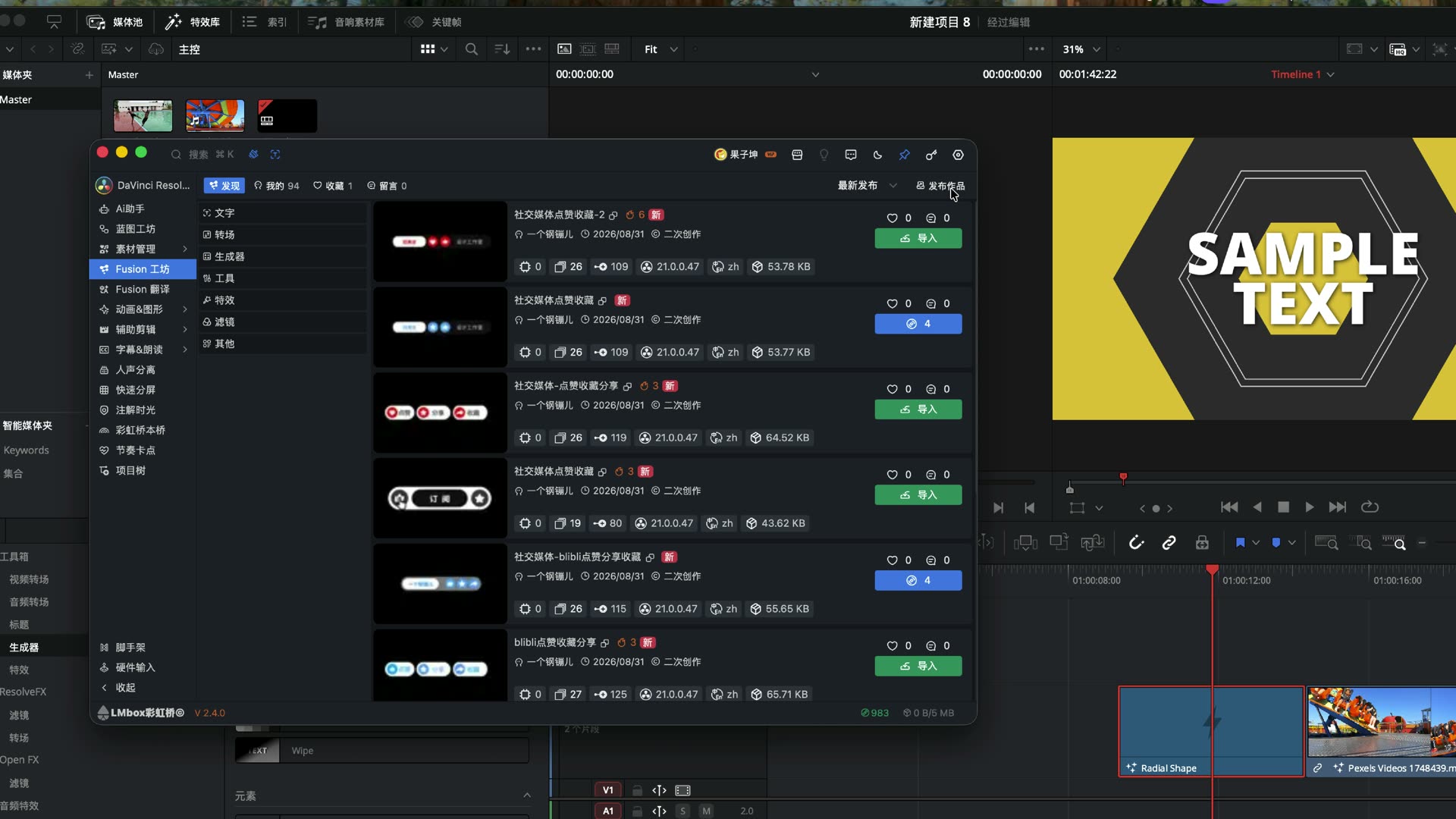
Figure: The publish page can take the Fusion comp of the current clip from the timeline.
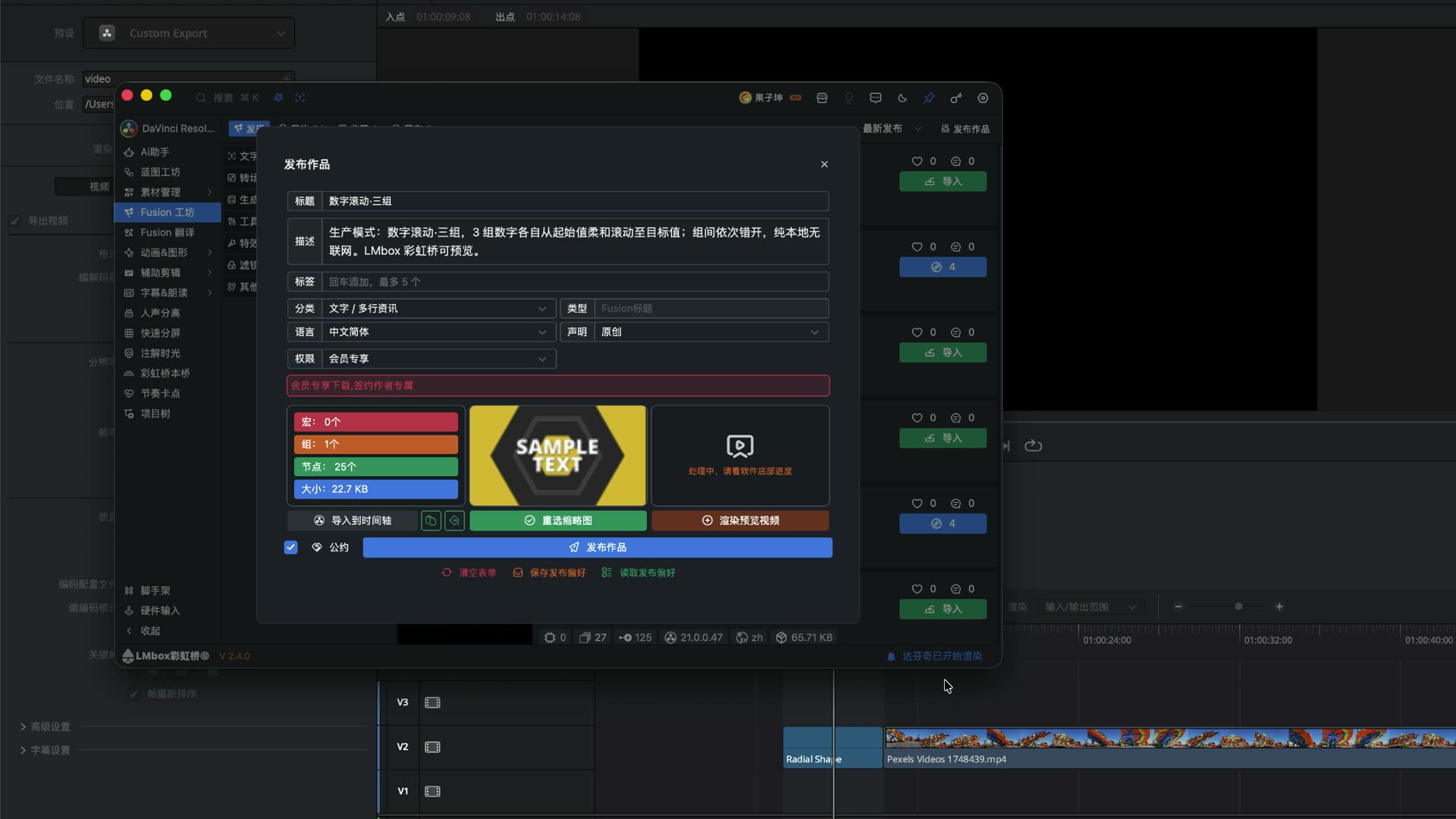
Figure: Add a cover and a short preview, and set the category, statement and public caps permission.
Way 2: Right-click "Upload to workshop" in Fusion Presets
In Fusion Presets under Media, select a local template and right-click Upload to workshop to go to the publish page. It suits works that are already organized in your local library.
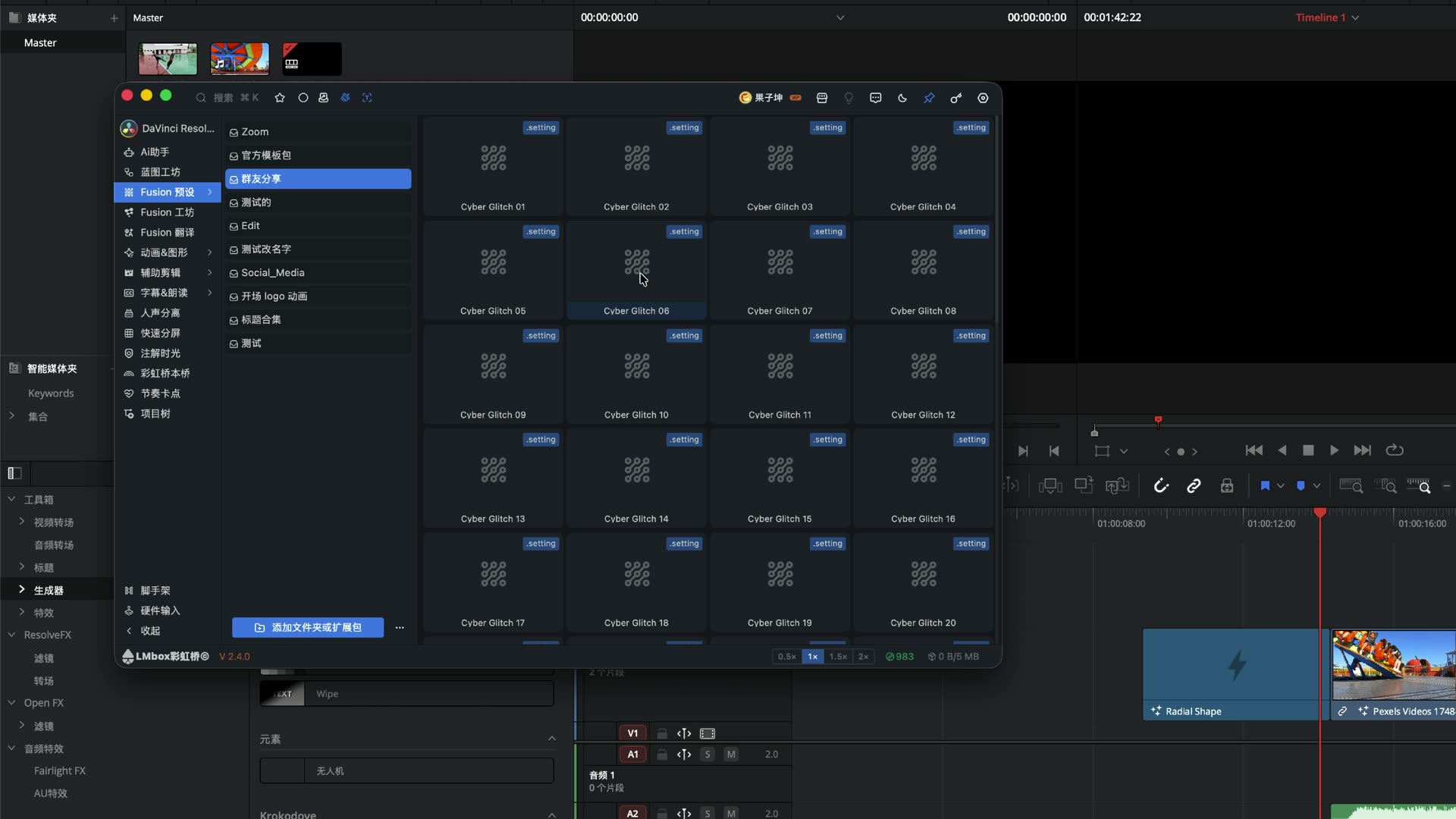
Figure: Right-click a local Fusion Presets item to upload it to the workshop.
Upload check
Some source authors have stated that their work must not be listed on this platform, and Fusion Lab blocks those. Follow the statement and the community rules, and do not upload against them.
How it works (what you can notice)
- Import on demand: browse community works and write only what you use into the project, so DaVinci Resolve's folder does not pile up for long
- Type routing: titles/generators can sit on the timeline; effects/transitions are library assets, limited by what the host lets us import
- Publishing loop: get from timeline / paste nodes / upload from Presets → the same publish form and review
- Caps: the settlement unit in Fusion Lab — downloading a paid work spends caps; free public works may earn a subsidy under the rules
Fusion Lab or installing whole .drfx bundles
| Approach | Best for | Watch out for |
|---|---|---|
Double-click / install many .drfx | Bundles that must stay installed, special official distribution | Heavy list, sticky start-up and selection |
| Fusion Lab, import on demand | Everyday titles, transitions, generators and effects to try and share | Effects/transitions need a second drag |
| Fusion Presets mounting a local folder | You already have a local library to translate and tidy | Browsing the community still goes through Fusion Lab |
Do not claim Fusion Lab can replace every .drfx 1:1. Most everyday text / transitions / generators / effects can be imported on demand; a few official or special packs may still use the traditional install.
FAQ
Q: What is Fusion Lab?
A: The DaVinci Resolve Fusion sharing community in the LmBox Bridge desktop app: browse by category, import on demand, and upload to share (priced in caps or free).
Q: How do I import DaVinci Resolve Fusion templates?
A: With the extension connected, pick a work on Discover and click Import. Text/generators land at the playhead; effects/transitions go into the library first, then you drag them from the effects/transitions panel.
Q: How is importing a title or generator different from an effect or transition?
A: The first can land at the timeline playhead directly. The second has no direct import interface in the host yet, so it is added to the library and then dragged by hand.
Q: How are Fusion Lab and Fusion Presets different?
A: Fusion Lab is for community discovery and sharing; Presets is for managing local .setting folders, translating and importing. Presets can right-click "Upload to workshop".
Q: Why can't effects go straight onto the timeline?
A: The host provides no API to import effects/transitions directly to the timeline. Fusion Lab can only install them into the effects library first, then you drag them.
Q: What are caps? Can I upload for free?
A: Caps are the settlement unit in Fusion Lab. For a public work, set the caps price to 0 for free, or set an amount and the downloader's share goes to the author's account under the rules (follow the software's explanation).
Q: Can this fully replace installing .drfx?
A: We cannot promise that. Fusion Lab eases a heavy install folder and the hunt for templates; special packs may still need a traditional install.
Q: Does Fusion Lab support OGraf and Lottie?
A: Fusion Lab is built around Fusion. You can see OGraf / Lottie entries in the screen. For more on those assets, see Motion graphics (OGraf / Lottie).